Eric Bergman-Terrell's Blog
January 17, 2016
If you are a T-Mobile USA subscriber, you may be using "Visual Voicemail" without even realizing it. I discovered that I was using Visual Voicemail when I noticed that voicemail had stopped working for me, on a Google Nexus 4 phone.
To turn off Visual Voicemail, the first step is to have T-Mobile turn it off for you. Then, on your Android phone, do the following (these instructions are for the Marshmallow version of Android):
Go to the phone app, select settings:
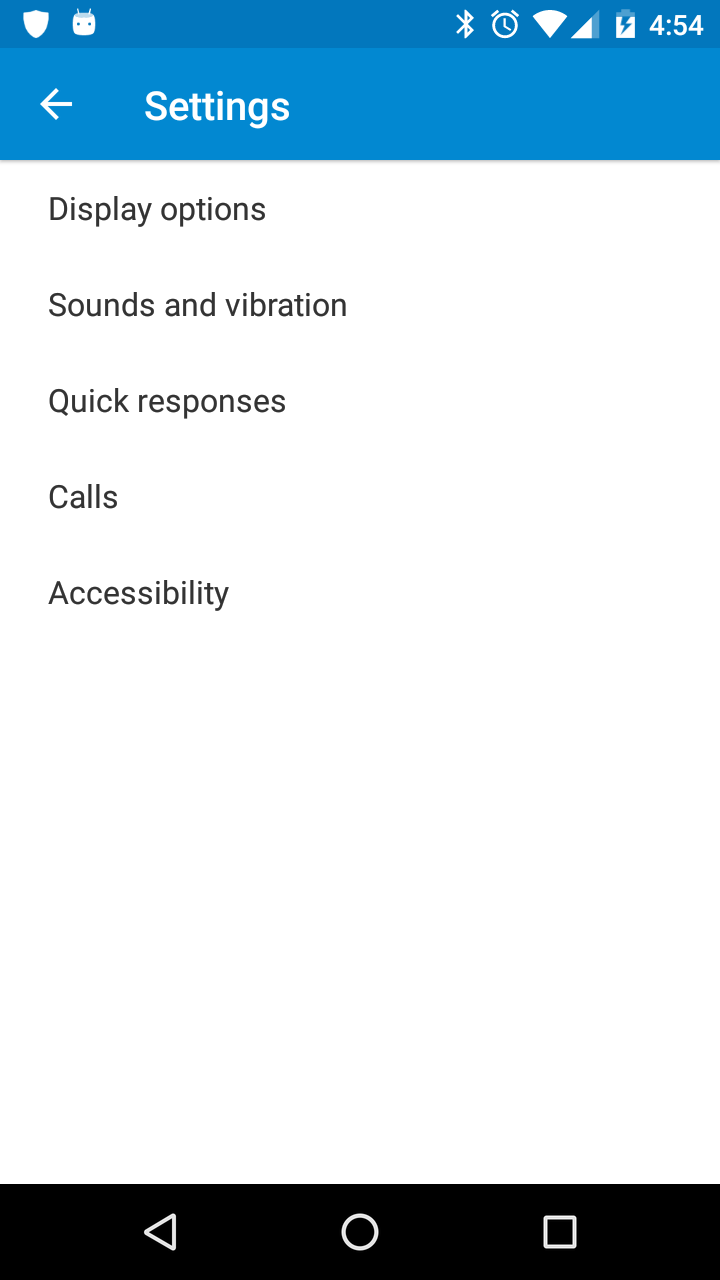
Select "Calls":
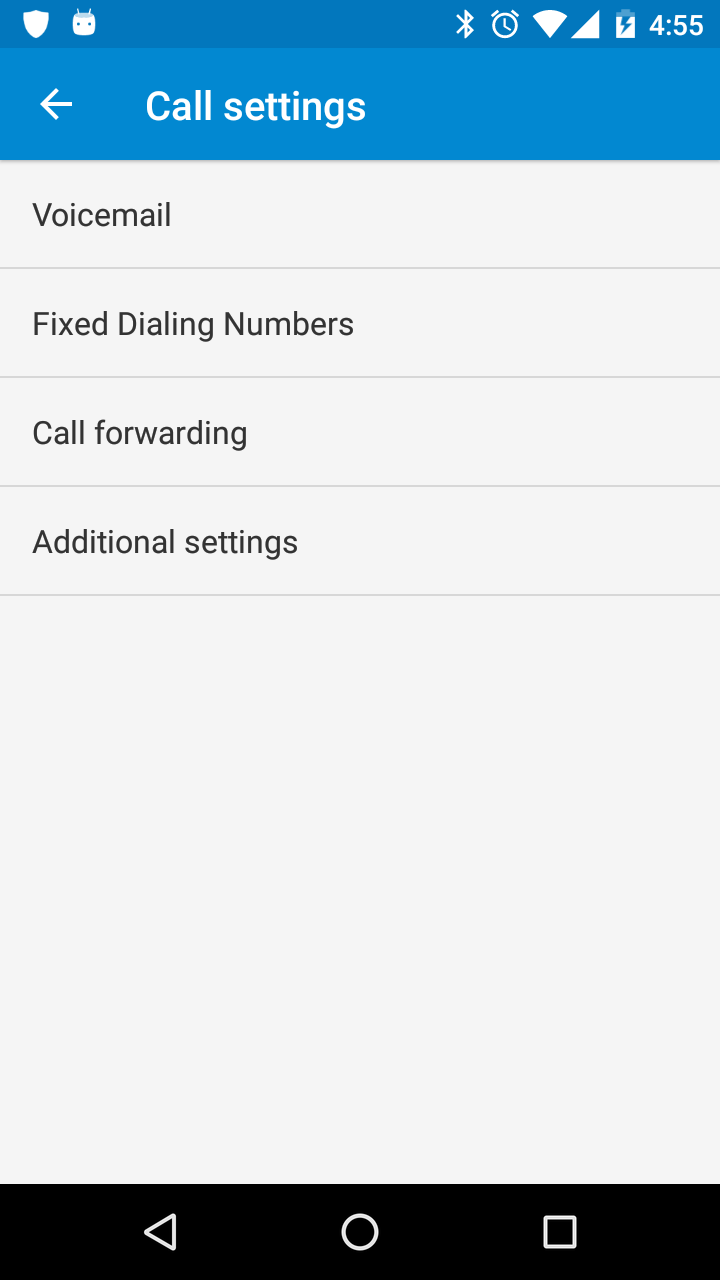
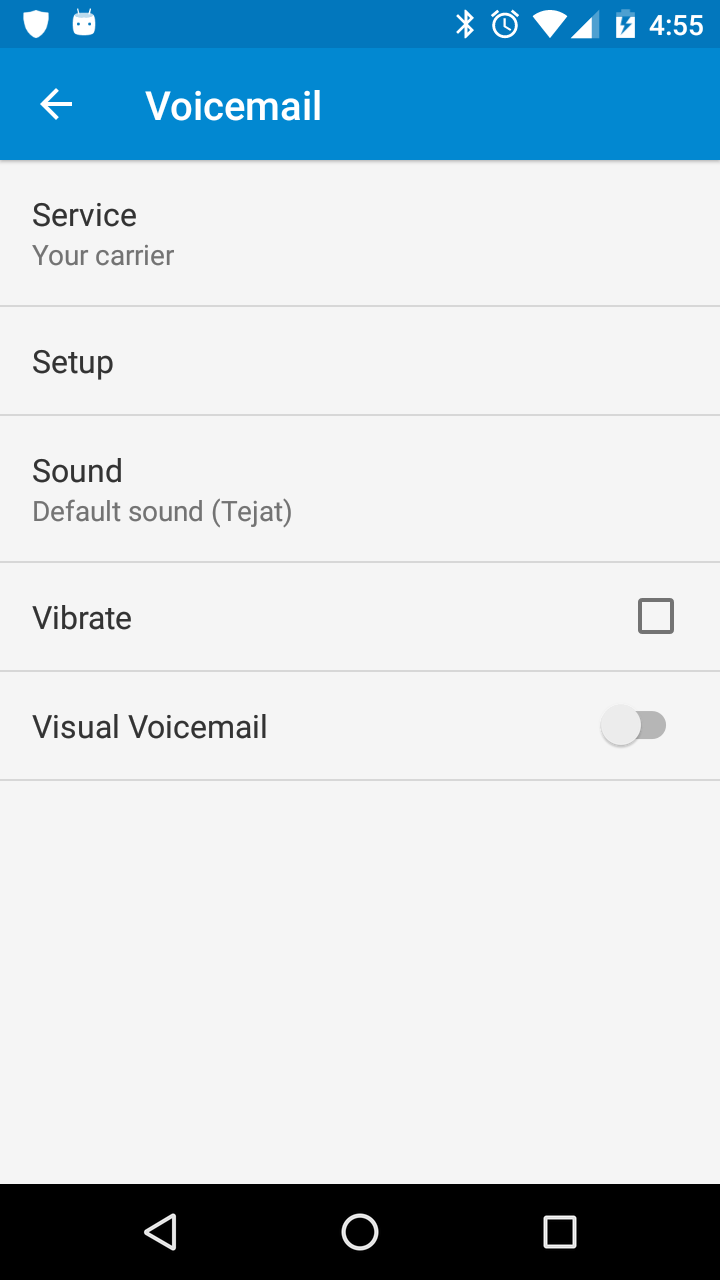
Select "Voicemail", and turn off "Visual Voicemail":
Reader Comments
Comment on this Blog PostRecent Posts
| Title | Date |
| Raspberry Pi Camera Trap and Animal Detection Program | August 29, 2026 |
| Python Tip: Fix Incorrect Orientation of Digital Photos | August 8, 2026 |
| EBT Weather is now available for Windows and Linux | May 30, 2026 |
| Node.js + Express: How to Block Requests by User-Agent Headers | January 7, 2026 |
| Vault 3 is Now Available for Windows on ARM Machines! | December 13, 2025 |
| Vault 3: How to Include Outline Text in Exported Photos | October 26, 2025 |
| .NET Public-Key (Asymmetric) Cryptography Demo | July 20, 2025 |